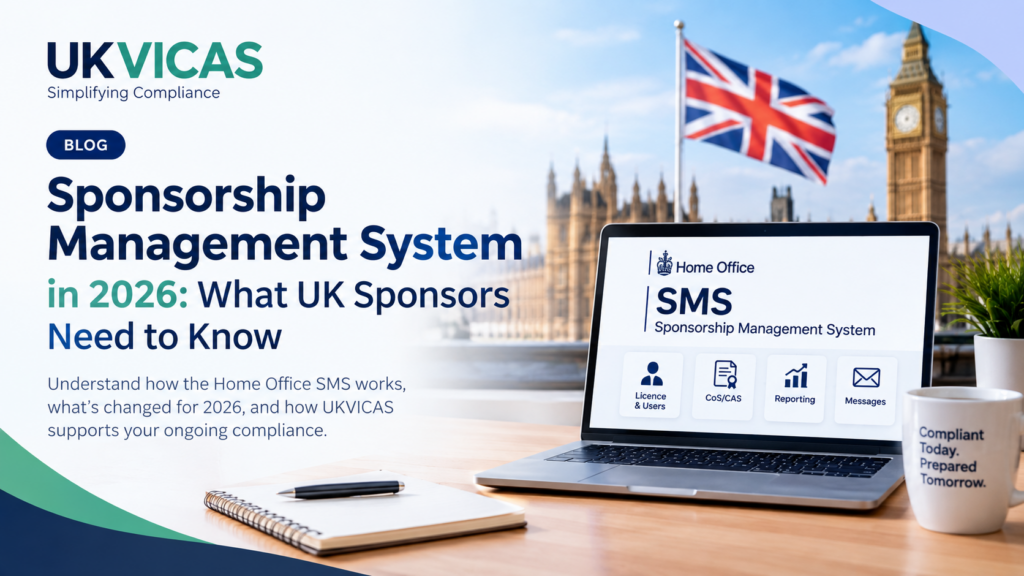
The latest Home Office Sponsorship Management System manual, Version 5.0, published in September 2026, explains how sponsors use SMS to manage day-to-day sponsorship duties, including licence information, users, Certificates of Sponsorship (CoS), reporting activities and other sponsorship functions.
For employers, the important question is:
How do you manage the supporting employee and compliance records around your sponsorship duties?
This is where a platform such as UKVICAS can complement SMS.
What is the Home Office Sponsorship Management System?
The Sponsorship Management System, commonly called SMS, is the Home Office’s online system for sponsors.
According to the September 2026 manual, sponsors use SMS for activities including:
- Managing key personnel and licence details
- Creating, assigning and viewing CoS/CAS
- Applying for and assigning Defined CoS
- Reporting activities relating to sponsored workers and students
- Managing allocations
- Tracking certain licence-related applications
- Managing action plans and related functions
The Home Office manual is primarily a technical guide to using SMS. It also makes clear that policy-related information should be obtained from the separate Sponsorship policy guidance.
SMS vs UKVICAS: What’s the Difference?
One of the most important points for sponsors is that UKVICAS does not replace SMS.
The two systems serve different purposes.
| Home Office SMS | UKVICAS Compliance Platform |
|---|---|
| Manage sponsorship licence and key personnel | Organise supporting employee compliance records |
| Create, assign and manage CoS/CAS | Store and track employee and immigration documents |
| Report sponsored worker activities to UKVI | Track RTW checks, visa and passport information |
| Receive Home Office messages and notifications | Monitor records, identify missing information and support audit readiness |
Think of it this way:
SMS is the Home Office system for administering sponsorship.
UKVICAS is the compliance management platform that helps employers organise and monitor the records supporting their sponsorship responsibilities.
This distinction is important. A sponsor should not think that having access to SMS automatically means that all of its underlying employee compliance records are properly organised.
A Major SMS Change in 2026: Level 2 Users
One of the most important changes highlighted in the September 2026 manual concerns Level 2 users.
From 9 September 2026, sponsors can no longer appoint new Level 2 users.
Existing Level 2 users must be:
- upgraded to Level 1, if eligible, by 8 March 2027, or
- deactivated.
The manual also explains that Level 2 users have historically had restricted permissions compared with Level 1 users.
What should sponsors do?
If your organisation currently has Level 2 users, this is a good time to review:
- Who currently has SMS access?
- Which users are Level 1 and Level 2?
- Does each user still need access?
- Are former employees still listed?
- Who is responsible for managing SMS users?
- Are the appropriate people prepared for the Level 2 transition?
The Home Office manual specifically advises sponsors to keep the number of Level 1 users to the minimum necessary for effective licence maintenance because the Authorising Officer is responsible for the actions of SMS users.
Multi-Factor Authentication Is Also Part of the 2026 SMS Changes
The September 2026 SMS manuals include a dedicated Manual 13 – Multi-Factor Authentication.
The manual identifies MFA and OTP (One Time Passcode) in its glossary and directs sponsors dealing with the Level 2-user change to the MFA manual.
This means sponsors should not look at the Level 2 change in isolation.
SMS user access and security should be reviewed together.
For your compliance team, this is a practical opportunity to review who has access to SMS and whether access remains appropriate.
Keep Your SMS Licence Information Accurate
The Home Office manual advises sponsors to check their Licence summary regularly and ensure that their licence details are accurate.
If information is incorrect, sponsors may need to submit a request to change it or use a Change of Circumstances form where necessary.
This matters because the status of a sponsor licence can affect what users are able to do in SMS.
For example, the manual explains that:
- A fully active licence provides access to applicable SMS functions.
- Suspended or dormant licences have restrictions.
- B-rated Worker/Temporary Worker sponsors cannot apply for or assign Defined CoS.
- Expired or revoked licences prevent access to SMS.
For sponsors, this reinforces an important principle:
Sponsor compliance needs to be monitored continuously, not only when an issue arises.
Don’t Ignore Home Office Messages
SMS is also used to communicate important information to sponsors.
The manual states that SMS can send email notifications about important events during the lifespan of a licence, including allocation and licence expiry.
Sponsors are advised to ensure that Home Office emails are not sent to spam or junk folders. The manual warns that failure to act on Home Office communications could result in consequences including loss of the sponsor licence or being unable to assign CoS/CAS.
This creates a simple but important operational question:
Who in your organisation is responsible for monitoring these communications and acting on them?
SMS Is Not Your Complete Compliance Filing System
This is where many sponsors need to think beyond SMS.
SMS helps you perform sponsorship-related activities with the Home Office.
But your organisation may also need to maintain supporting information and records relating to sponsored employees.
For example, your internal compliance records may include:
- Employment contracts
- Employee information
- Passport records
- Right to Work evidence
- Visa information
- CoS records
- Attendance records
- Annual leave records
- Sickness and absence records
- Timesheets
- Payslips
- Pension records
- Emergency contact information
- Supporting employee documents
Keeping these records organised makes it easier for the business to identify gaps and respond when compliance information is needed.
Where UKVICAS Fits
UKVICAS is designed to complement the Home Office SMS.
Instead of trying to replace the Home Office’s sponsorship system, UKVICAS focuses on helping employers organise and monitor the supporting records around their sponsored workforce.
With UKVICAS, employers can manage areas such as:
Employee Records
Maintain structured employee information and supporting documentation in one place.
Right to Work Records
Record Right to Work information and supporting evidence while monitoring important dates.
Visa and Passport Monitoring
Keep immigration documents organised and monitor important expiry dates.
CoS Records
Maintain relevant Certificate of Sponsorship information alongside employee records.
Attendance and Absence
Maintain records relating to attendance, annual leave and sickness/absence.
Timesheets and Payslips
Keep employment records organised and accessible.
Compliance Monitoring
Identify missing or incomplete records so that issues can be addressed before they become a bigger problem.
The Goal: Be Ready Before You Need the Records
Compliance becomes difficult when an employer starts looking for documents only after receiving a request.
A better approach is to make compliance part of normal business operations.
Instead of asking:
“Can we find this document?”
your organisation should be able to ask:
“Is our record complete, current and ready?”
That is the difference between simply storing documents and actively managing compliance.
SMS + UKVICAS: Two Systems, Two Roles
The easiest way to understand the relationship is:
Home Office SMS
→ Manage the sponsorship licence
→ Manage sponsorship activities
→ Assign CoS/CAS
→ Report relevant activities
→ Manage SMS users
→ Receive Home Office communications
UKVICAS
→ Organise employee compliance records
→ Track immigration documentation
→ Monitor RTW and visa information
→ Maintain employment records
→ Identify missing records
→ Support ongoing audit readiness
Together, they can form part of a more structured approach to sponsor compliance.
What Should Sponsors Do Now?
If your organisation holds a sponsor licence, consider carrying out a simple review:
1. Review Your SMS Users
Check who currently has access and whether everyone still needs it.
2. Review Level 2 Users
If you have existing Level 2 users, understand the September 2026 change and the 8 March 2027 deadline for eligible upgrades or deactivation.
3. Review Your SMS Licence Information
Make sure the information held in SMS remains accurate.
4. Check Your Home Office Communications
Make sure important SMS/Home Office emails are being received and acted upon.
5. Review Your Supporting Employee Records
Ask whether your employment, immigration and compliance records are complete, organised and easy to retrieve.
6. Consider a Dedicated Compliance Platform
If your records are spread across email, spreadsheets, folders and paper files, consider whether a centralised system could make ongoing compliance easier.
Stay Audit-Ready With UKVICAS
The Home Office SMS is an essential system for sponsors.
But managing your sponsor licence is only one part of maintaining good compliance processes.
Your business also needs a reliable way to organise the employee and supporting records behind your sponsorship activities.
UKVICAS helps sponsor licence holders bring these records together, monitor important information and identify compliance gaps.
Don’t wait until a compliance issue forces you to search through emails, spreadsheets and folders.
Build your compliance process before you need it.
Start Your UKVICAS Journey Today
Try UKVICAS and see how a centralised compliance platform can help your organisation stay organised and audit-ready.